When making videos in 2026, should you shoot in 1080p or 4K? 4K is undoubtedly sharper, but…
1. Overheating and Battery Drain
While 4K videos are noticeably sharper, for individual creators making and sharing content, 1080p is actually more than enough.
Why not choose 4K?
First of all, shooting in 4K drains the battery of phones and cameras much faster than 1080p. Devices are also far more prone to overheating, which can lead to unexpected shutdowns mid-shoot.
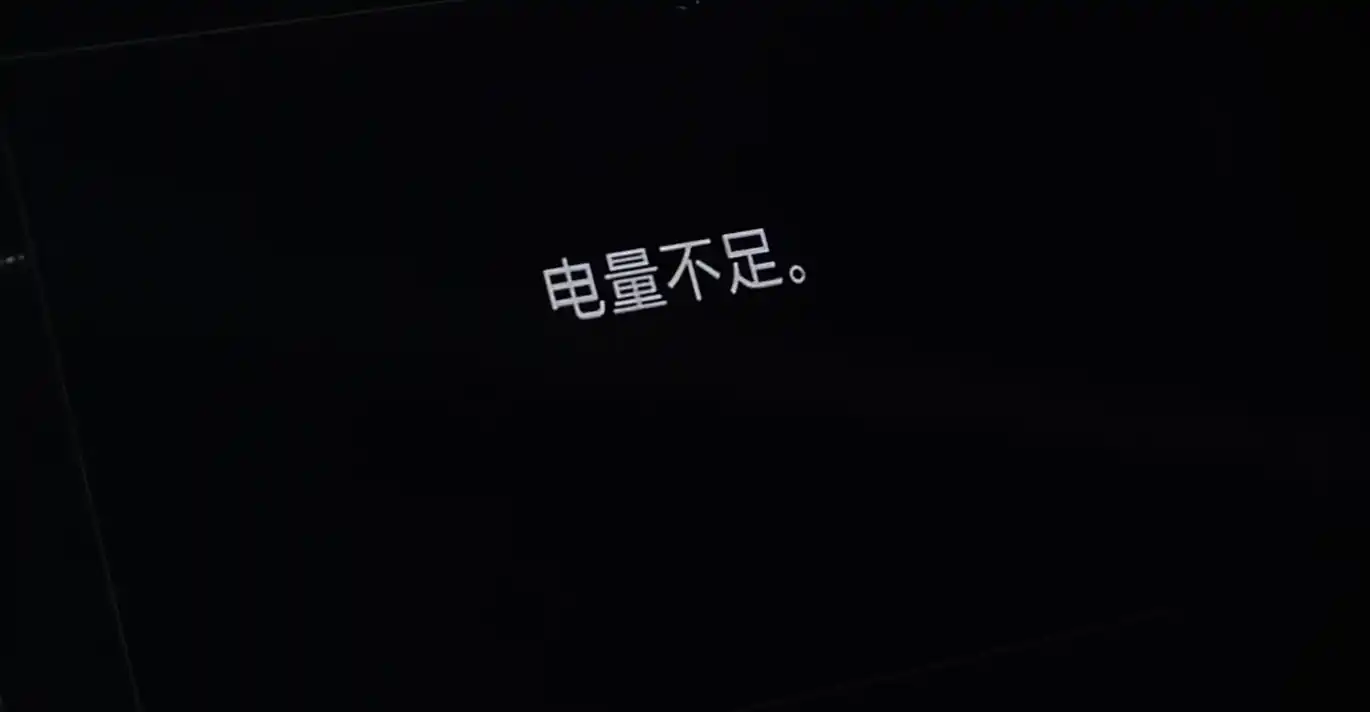
Some phones even have ridiculous bugs when shooting in 4K, causing sudden stutters. Honestly, in 2026, bugs like this shouldn’t still be happening.
2. Massive Storage Footprint
Choosing 4K means massive file sizes. Transferring these clips takes significantly longer, and they eat up your storage in no time.
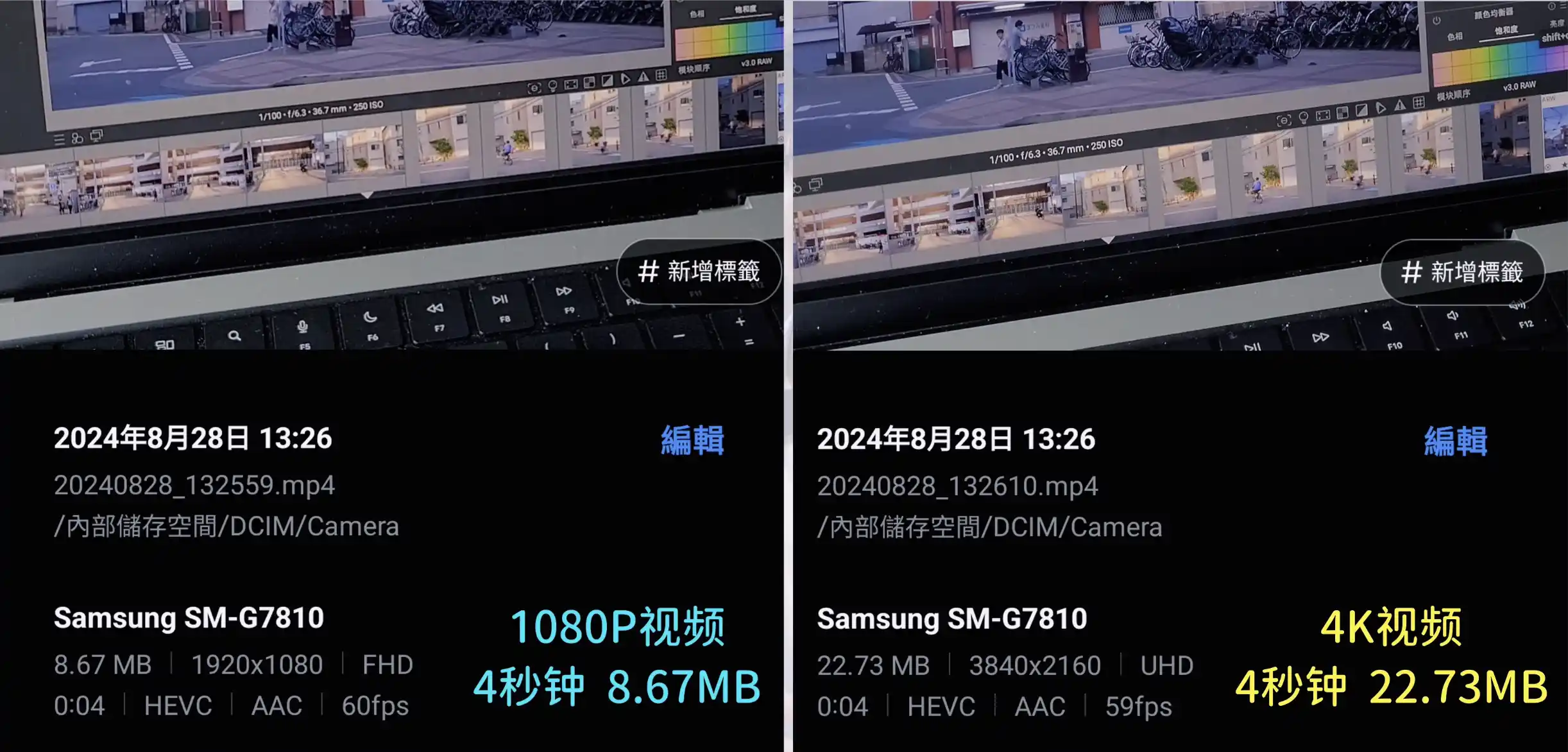
(Note: This article was actually written in 2024, but it remains highly relevant two years later. With RAM and storage prices skyrocketing, 4K video files are just too bloated, making high-capacity hard drives and smartphones increasingly unaffordable.)
3. Heavy Toll on Editing Hardware
During editing, 4K footage demands far more processing power than 1080p. You’ll hear your computer fans spinning like crazy, and if your machine isn’t brand new, playback will likely stutter so much that editing becomes a nightmare.
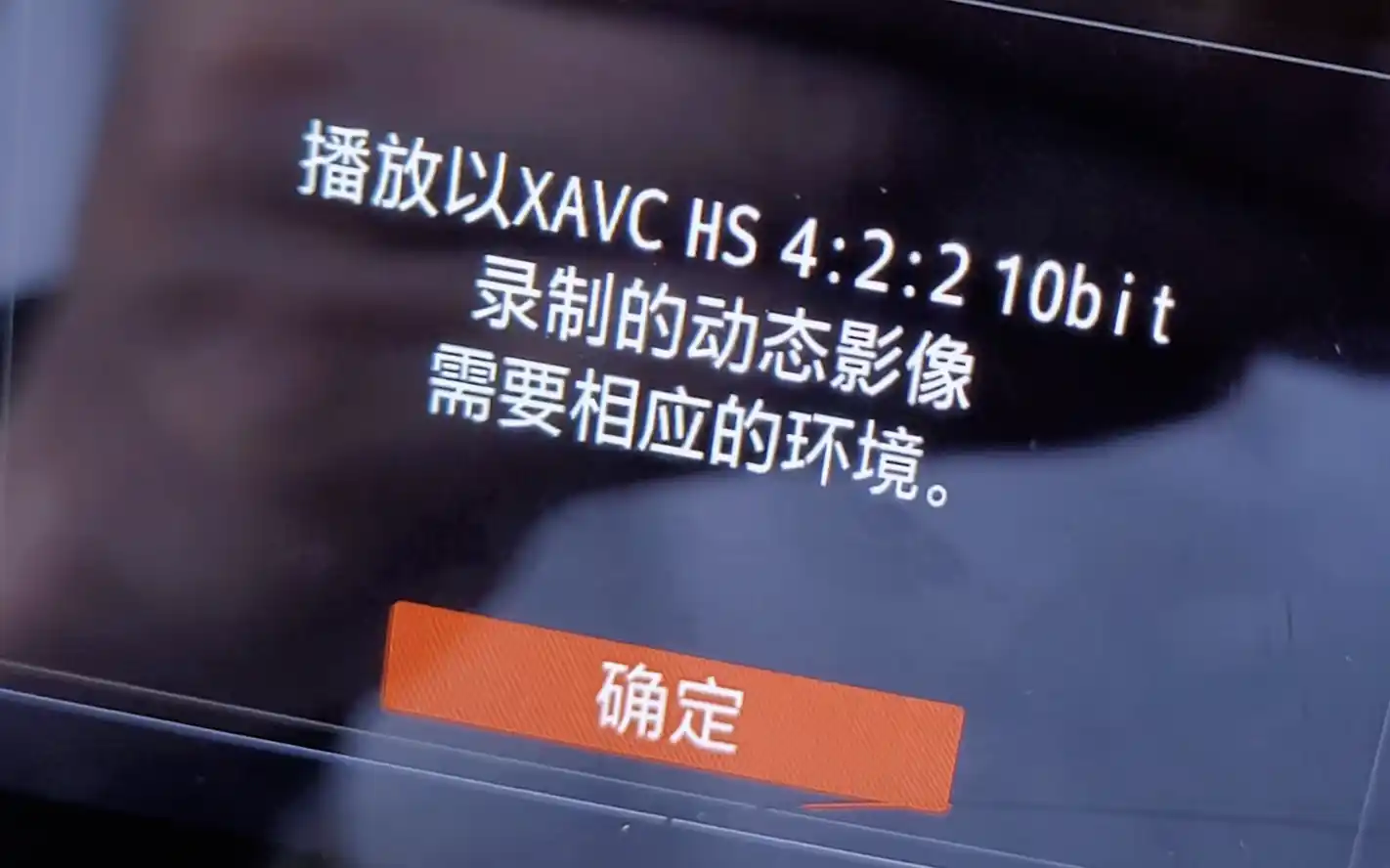
Camera-shot 4K footage puts even more strain on your computer because of higher bitrates and specialized codecs that require hardware-level decoding. For instance, my Legion laptop (AMD 5800H + RTX 3070) struggles to play back H.264 10-bit 4:2:2 footage from my Sony A7M4. Why? Because neither the CPU nor the GPU supports hardware decoding for this specific format. On top of that, rendering and exporting 4K videos takes ages compared to 1080p.
4. Compatibility Issues
You might not care about any of the points above, but this next one is the real deal-breaker. If you need to present your video on a large screen (or post it online, which we’ll discuss below), and your school or company happens to use an outdated computer that doesn’t support 4K, the playback will stutter and freeze 😅—compatibility issues are always the biggest headache.
I remember once making a year-end recap video for my company. I spent hours meticulously retouching and beautifying everyone’s faces. But when it was projected, the venue’s ultra-wide screen stretched the video horizontally, making everyone look like squashed tonsils. A whole day’s work down the drain.
5. Aggressive Compression by Video Platforms
If you upload your work to major platforms, the first hurdle is that most sites restrict 4K playback to VIP members—sometimes you even need a premium subscription just to watch your own uploaded 4K videos. Secondly, these platforms heavily compress and smear the original footage, completely wiping out the details and sharpness you worked so hard for. If you share it on WeChat Moments, the compression is even more brutal.

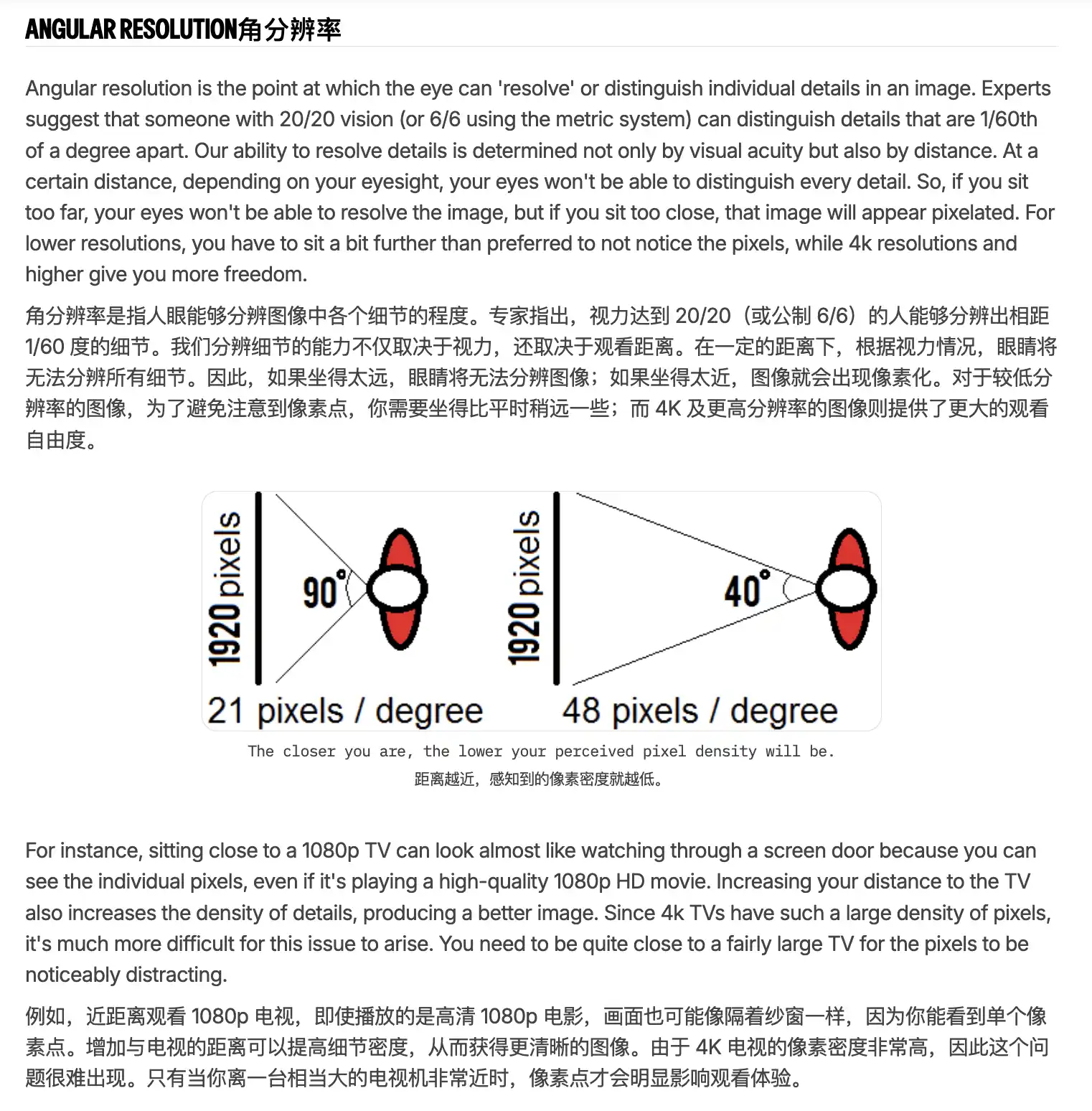
Fun fact: 1080p is plenty sharp for most people. Moreover, the further you sit from a screen, the less resolution matters—meaning at a distance, even 720p or 480p won’t look blurry.
So…
If you are making videos for public consumption, shooting in 1080p is more than enough. However, if you are filming personal memories, don’t mind the storage footprint, and simply want the highest clarity when looking back at your photo library years from now, then by all means, shoot in 4K!
Alternatively, if you have some editing skills and want to make your videos more dynamic, 4K footage gives you the flexibility to reframe or crop in post-production without losing quality, making your final cut look much more polished.
How to Make Your Videos Look Sharper
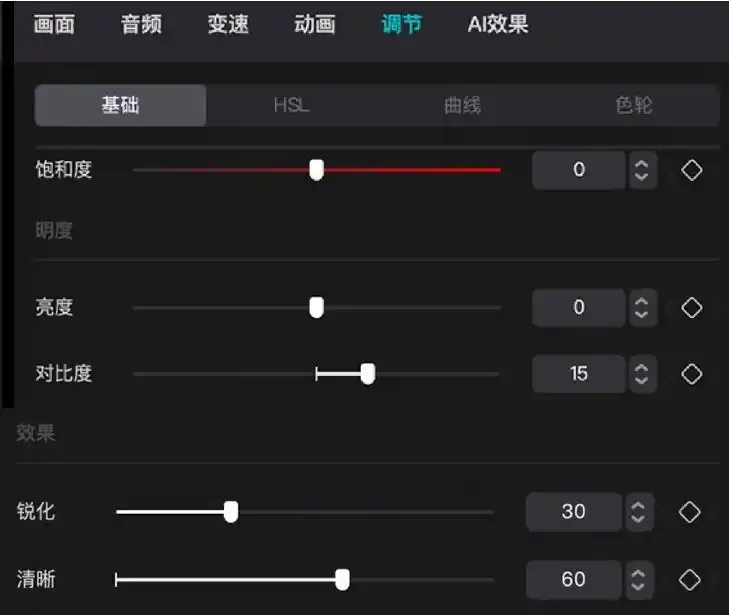
Here is a quick tip to make your videos look crisp and clear. In CapCut, select your video clip on the timeline, go to “Adjust” in the top right, and slightly boost the values for “Clarity”, “Sharpen”, and “Contrast” to a sweet spot. Don’t overdo the sharpening. You can also add a touch of saturation. Once the visual perception is enhanced, your brain will naturally perceive it as 4K anyway.